

This post may contain affiliate links. If you buy through them, I may earn a small commission at no extra cost to you.

A wireless mouse is one of the cheapest upgrades you can make to a laptop setup. It removes the cable, is easier on your wrist than a touchpad for long sessions, and costs little to get one that works well.
Best Wireless Mouse Under 1000 is a practical choice for anyone looking for an affordable wireless mouse for office work, online classes, everyday browsing, or casual gaming. With several budget options available in India, choosing the right mouse depends on comfort, connectivity, battery life, and overall performance.
The five mice below are all under ₹1000 and suit different needs. If you’re not sure where to start, the Logitech M221 is the safest all-round choice. If you want to skip the USB receiver, look at the HP 240. The rest are for specific situations, which the sections below explain.
If you are building a complete laptop setup, also check our guide on Best Laptop Accessories Under ₹1000 in India.
Quick picks
How we picked these
We compared the models on their published specifications, listing details, intended use and value for money. We have not run formal lab tests on these mice, so the comments below describe what each one is designed for and where it may fall short, not measured performance. Where a figure comes from the manufacturer or the listing, we say so.
| Mouse | Best for | Buy |
|---|---|---|
| Logitech M221 Silent Wireless Mouse | Most people: silent clicks for office and study | Check price on Amazon |
| HP 240 Bluetooth Wireless Mouse | Laptop users who don’t want a USB receiver | Check price on Amazon |
| Dell WM118 Wireless Optical Mouse | Basic home and office use | Check price on Amazon |
| Lenovo 130 Wireless Compact Mouse | Students and travel | Check price on Amazon |
| Portronics Toad One Bluetooth Mouse | Rechargeable, pairs with three devices | Check price on Amazon |
Prices and stock change often. Check the listing before you buy.
Best Wireless Mouse Under ₹1000 Comparison
| Mouse | Best For | Highlight |
|---|---|---|
| Logitech M221 | Silent work | Quiet clicks |
| HP 240 Wireless Mouse | Office users | Reliable everyday performance |
| Dell WM118 Wireless Optical Mouse | Professional and office use | 2.4GHz wireless connectivity and 1000 DPI optical sensor |
| Lenovo 130 Wireless Compact Mouse | Students | 1000 DPI optical sensor and up to 10 months of battery life (listing claim) |
| Portronics Toad Series | Value buyers | Affordable features |
1. Logitech M221 Silent Wireless Mouse: best overall
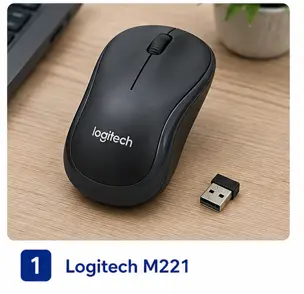
Why it’s here: It’s the mouse we would recommend to most people. The clicks are noticeably quieter than most budget mice, which matters if you work in a shared room, attend online meetings or study late at night. It connects with a small USB nano receiver and is compact enough for a laptop bag.
Key features
- Silent click design
- 2.4 GHz wireless with a USB nano receiver (plug and play)
- Compact body suited to laptop users
- Battery life is listed as long-lasting. Check the current listing for the figure.
Pros
- Quiet clicks
- Logitech brand with good availability
- Simple setup
- Good comfort for daily use
Cons
- Not designed for gaming
- Compact size may feel small for users with larger hands
- Needs a free USB-A port for the receiver
Best for: office workers, students, work-from-home users and anyone sharing a space.
2. HP 240 Bluetooth Wireless Mouse: best for laptops without spare USB ports
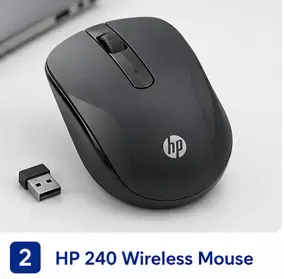
Why it’s here: It connects over Bluetooth, so it doesn’t use a USB port. That helps on thin laptops with few ports, and it means one less dongle to lose.
Key features
- Bluetooth connection, no USB receiver needed
- Lightweight and portable
- Comfortable shape for long working sessions
Pros
- Frees up a USB port
- No receiver to lose
- HP brand with good availability
- Portable
Cons
- Needs Bluetooth on the laptop or device you connect it to
- No programmable buttons
- Not made for heavy gaming
Best for: laptop users with limited ports, students and travellers.
3. Dell WM118 Wireless Optical Mouse: best for basic office use
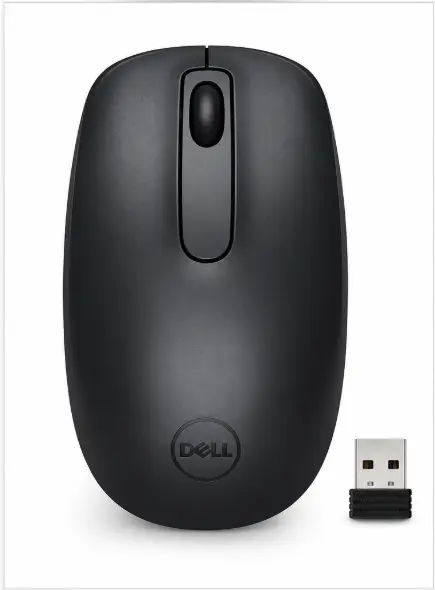
Why it’s here: It’s a no-frills mouse from a well-known brand. It uses a 2.4 GHz USB receiver and an optical sensor, and it has few features to get in the way.
Key features
- 2.4 GHz wireless with a USB receiver
- 1000 DPI optical sensor (manufacturer specification)
- Light, at about 82 g (listing figure)
- Runs on one AA battery. The listing claims up to 12 months, depending on use.
Pros
- Simple to set up
- Lightweight
- Dell brand with good availability
- Suits routine office and study tasks
Cons
- Needs a USB port
- No Bluetooth
- Not designed for gaming
- Battery life depends heavily on how much you use it
Best for: home and office users who want a dependable basic mouse.
4. Lenovo 130 Wireless Compact Mouse: best for students
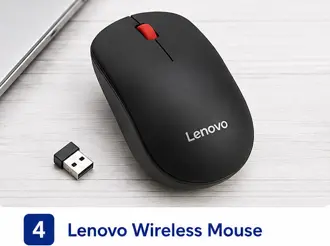
Why it’s here: It’s small and light, and it works out of the box. For a student who carries a laptop between classes and the library, that matters more than extra features.
Key features
- Compact, lightweight body
- 1000 DPI optical sensor (manufacturer specification)
- Battery life is listed as up to 10 months (listing claim)
- Plug-and-use setup
Pros
- Easy to carry
- Lenovo brand
- Works immediately
- Good value for basic use
Cons
- Basic features only
- Too small for some users
- Not suited to gaming
Best for: students, college users and anyone who wants a light, simple travel mouse.
5. Portronics Toad One Bluetooth Mouse Rechargeable Multi-Device Wireless Mouse
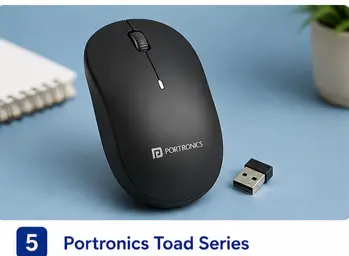
Why it’s here: It’s the only rechargeable mouse in this list, so you don’t need to buy batteries. It can also connect to up to three devices, which suits people who switch between a laptop, a tablet and a phone.
Key features
- Rechargeable battery
- 2.4 GHz and Bluetooth 5.3 connectivity (listing specification)
- Connects to three devices (listing specification)
- Six buttons and RGB lighting
Pros
- No batteries to replace
- Works with several devices
- Modern design
- Good features for the price
Cons
- You need to remember to charge it
- Not designed for competitive gaming
- Build and battery life are best checked against recent owner reviews before buying
Best for: multi-device users, travellers and anyone who wants to avoid buying batteries.
Buying guide: choosing a wireless mouse under ₹1000
Connection type. A USB receiver works with almost any computer. Bluetooth saves a USB port but needs Bluetooth on the device. If your laptop has only one or two USB ports, Bluetooth is the better choice.
Battery. Disposable AA batteries are simple, and they’re easy to replace on the road. Rechargeable mice avoid that cost but need charging. Check the battery claim on the listing and remember that real-world life depends on how much you use the mouse.
Size and comfort. A compact mouse is easier to carry. A larger one is more comfortable for long sessions, especially if you have bigger hands. Try to hold one in a shop if you can.
Silent clicks. If you work or study near other people, quiet clicks make a noticeable difference.
Brand and warranty. Well-known brands are easier to get serviced or replaced. Check the warranty period on the listing before you buy.
DPI. The DPI figure controls how far the cursor moves for each movement of the mouse. For office and study use, 1000 DPI is enough. Don’t pay extra for a high DPI number if you won’t use it.
Mobile users can explore our guide on Best Mobile Accessories in India for more budget-friendly gadgets.
How SmartBudgetGear Evaluates Products
We focus on the factors that matter before purchase, including the exact product model, stated specifications, compatibility, intended use, limitations, price range and availability.
Manufacturer specifications are treated as product information rather than independent test results. When a product has not been personally tested by SmartBudgetGear, we do not present our comments as hands-on experience.
Prices and availability can change, particularly on online marketplaces. Always check the current product listing and specifications before placing an order.
Our goal is to help readers understand whether a product fits their particular need rather than recommending a product simply because it is popular or inexpensive.
Final verdict
For most buyers, the Logitech M221 Silent Wireless Mouse is the best choice under ₹1000. It’s quiet, compact and easy to set up.
Pick the HP 240 if you want to avoid using a USB port. Pick the Dell WM118 for simple home and office use. Pick the Lenovo 130 if you want something light for travel and classes. Pick the Portronics Toad One if you want a rechargeable mouse that works with several devices.
Whichever you choose, check the current price and specifications on the listing before you buy, because prices and stock on Amazon change often.
Choosing the Best Wireless Mouse Under ₹1000 depends on your daily usage, comfort needs, and preferred features.
You can also read our guide on How to Choose Long-Lasting Budget Gadgets before buying new tech products.
FAQs
Q1. Which is the best wireless mouse under ₹1000?
For most people, the Logitech M221 Silent Wireless Mouse. It’s quiet, reliable and simple to use. If you need Bluetooth, choose the HP 240.
Q2. Is a wireless mouse worth it for office work?
Yes. A mouse is usually more comfortable than a touchpad for long sessions, and it removes the cable from your desk.
Q3. Bluetooth mouse or USB receiver mouse: which is better?
A USB receiver is the simpler option and works with almost any computer. Bluetooth is better if your laptop has few USB ports or you want to avoid carrying a receiver.
Q4. Are these mice good for gaming?
None of these is designed for competitive gaming. They work for casual games and everyday use, but they lack the sensor quality, button layout and polling features of a dedicated gaming mouse.
Q5. Can I use these with a tablet or phone?
Some do. The Portronics Toad One connects to multiple devices, and the HP 240 uses Bluetooth. Check the compatibility section of each listing before you buy.