
This post may contain affiliate links. If you buy through them, I may earn a small commission at no extra cost to you.
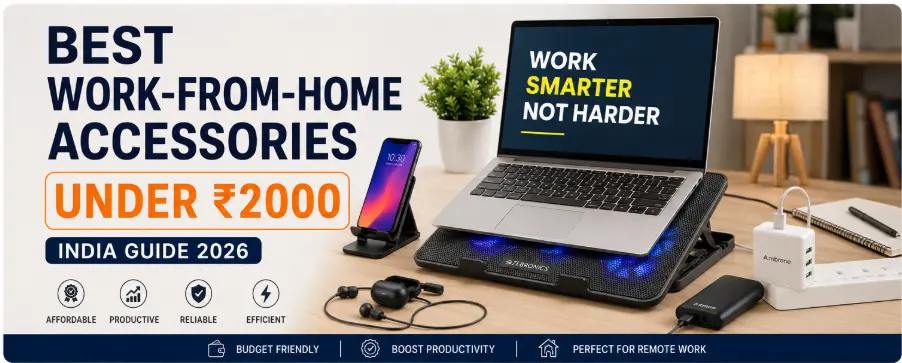
Best Work-From-Home Accessories Under ₹2000 can completely improve your productivity, comfort, charging speed, and online meeting experience without spending a huge amount of money. Working from home sounds easy until your laptop overheats, meetings become chaotic, your phone battery dies, and cheap accessories waste your time every day.
Most people try to work with random gadgets. That is the real problem.
A proper work-from-home setup is not about luxury. It is about removing friction from your workflow. Even under ₹2000, you can build a setup that improves comfort, productivity, charging speed, communication quality, and device reliability.
This guide covers the best work-from-home accessories in India under ₹2000 that are actually useful in 2026. The best work-from-home accessories under ₹2000 can completely upgrade your setup.
Here’s a practical setup that actually improves your workflow.
Why Cheap Random Accessories Fail
People usually buy:
- Weak mobile stands
- Slow chargers
- Fake power banks
- Poor quality earphones
- No cooling setup
Result:
- Laptop lag
- Battery issues
- Neck pain
- Audio problems in meetings
- Productivity drop
A smart setup fixes small daily problems before they become frustrating.
Table of Contents
- Laptop Cooling Pad
- Mobile Stand
- Fast Charging Setup
- Earphones with Mic
- Power Backup (Power Bank)
- Final Recommended Setup
- Buying Tips Before Purchase
- FAQs
Best Work-from-home Accessories under 2000
1. Laptop Cooling Pad
A cooling pad is one of the most underrated work-from-home accessories.
When laptops heat up:
- Performance becomes slow
- Fan noise increases
- Battery life reduces
- Long working sessions become uncomfortable
A good cooling pad improves airflow and helps maintain stable performance during meetings, multitasking, editing, or long browser sessions.
Best Features to Look For
- Dual or triple fan setup
- Adjustable height
- USB-powered design
- Quiet cooling fans
- Strong build quality
Recommended For
- Students
- Bloggers
- Office workers
- Freelancers
- Remote employees
👉 Related Guide: Best Laptop Cooling Pads Under ₹1500
2. Mobile Stand
Most people ignore this accessory until neck pain starts.
A good mobile stand helps during:
- Zoom meetings
- Video calls
- Online classes
- Watching tutorials
- Using a phone as a secondary screen
Instead of constantly holding your phone or bending your neck, use a stand to maintain a proper viewing angle.
Benefits
- Better posture
- Hands-free meetings
- Cleaner desk setup
- Improved comfort
Best Choice
Look for:
- Foldable design
- Adjustable angle
- Anti-slip grip
- Metal body, if possible
Cheap plastic stands usually break within months.
👉 Related Guide: Best mobile phone stand under 500 in India
3. Fast Charging Setup
Slow charging wastes more time than people realize.
A proper fast charger setup helps:
- Faster phone charging
- Less downtime
- Better productivity during work hours
What You Need
- Fast charging adapter
- Good quality USB cable
- Over-voltage protection
Avoid ultra-cheap local chargers because they can damage batteries over time.
Recommended Usage
Ideal for:
- Remote workers
- Online meetings
- Continuous mobile usage
- Backup charging during power cuts
👉 Read Also: Best Fast Charging Adapters Under ₹1000
4. Earphones with Mic
Bad audio instantly makes online meetings frustrating.
A good pair of earphones with a microphone helps in:
- Zoom calls
- Google Meet
- Client communication
- Online interviews
- Voice clarity
Features That Matter
- Noise isolation
- Clear microphone
- Comfortable fit
- Long cable or wireless support
Avoid These Mistakes
Do not buy earphones only based on bass or flashy RGB marketing.
For work-from-home use, microphone clarity matters more than heavy sound effects.
👉 Related Guide: EarphoneBest Earphones Under ₹1000 in India (Daily Use 2026)
5. Power Backup (Power Bank)
Power cuts and battery drain destroy workflow momentum.
A power bank becomes extremely useful for:
- Mobile charging
- WiFi router backup (with compatible setup)
- Emergency internet access
- Travel work sessions
Recommended Capacity
For most users:
- 10000mAh is enough
- 20000mAh for heavy usage
Important Features
- Fast charging support
- BIS certified products
- Trusted brands only
- Multiple output ports
Cheap fake-capacity power banks are everywhere in India. Avoid unknown brands.
👉 Related Guide: How to Choose the Best Power Bank in India
Comparison Table
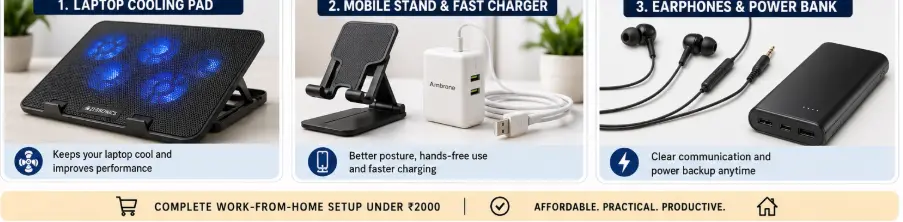
| Accessory | Budget Range | Main Benefit |
|---|---|---|
| Laptop Cooling Pad | ₹700-₹1500 | Lower heat & better performance |
| Mobile Stand | ₹200-₹600 | Better posture |
| Fast Charger | ₹500-₹1000 | Faster charging |
| Earphones with Mic | ₹500-₹1500 | Better meetings |
| Power Bank | ₹800-₹2000 | Backup power |
Which Accessory Should You Buy First?
If your laptop overheats, → Cooling Pad
If meetings are your problem → Earphones
If charging is slow → Fast Charger
If you travel often → Power Bank
If neck pain occurs → Mobile Stand
Best Work-From-Home Accessories Under ₹2000 Setup
Here’s a practical beginner setup:
✔ Laptop cooling pad
✔ Adjustable mobile stand
✔ Fast charger
✔ Earphones with mic
✔ Compact power bank
This combination solves most daily work-from-home problems without costing a lot.
Buying Tips Before Purchase
1. Avoid Fake Reviews
Many cheap accessories have manipulated ratings.
Check:
- Verified purchase reviews
- Negative reviews first
- Real user images
2. Prefer Trusted Brands
A slightly expensive branded accessory usually lasts much longer than ultra-cheap alternatives.
3. Don’t Buy Everything Together
Start with the accessory causing the biggest daily problem.
Example:
- Laptop heating → Buy a cooling pad first
- Meeting issues → Buy earphones first
- Charging frustration → Buy a fast charger first
Expert Recommendation Box
Expert Tip
After testing budget work-from-home setups, the biggest productivity improvement usually comes from three accessories:
• Laptop cooling pad
• Good earphones with a mic
• Fast charger
These solve the most common daily frustrations for remote workers.
Cost Breakdown
Example:
Starter Setup (₹1500)
• Mobile Stand ₹250
• Earphones ₹600
• Charger ₹650
Complete Setup (₹4000+)
• Cooling Pad
• Power Bank
• Earphones
• Charger
• Stand
FAQs
Q1.What is the ideal desk setup for remote work?
An ideal remote work desk setup includes a laptop on a cooling pad, an adjustable mobile stand, comfortable earphones with a mic, proper lighting, and easy access to a fast charger and power bank.
Q2.Which accessory improves productivity the most?
For most remote workers, a combination of a laptop cooling pad and quality earphones with a microphone provides the biggest productivity boost by improving device performance and communication quality.
Q3. Can a power bank run a Wi-Fi router?
Yes, some power banks can power a Wi-Fi router if the router supports USB power or is connected through a compatible DC converter. This can help maintain internet access during power outages.
Q4. Do cooling pads actually work?
Yes, especially for budget laptops and long work sessions. They help improve airflow and reduce overheating.
Q5. What accessories do remote employees need?
Remote employees benefit most from a laptop cooling pad, a mobile stand, a fast charger, earphones with a microphone, and a power bank. These accessories improve comfort, communication, and productivity during long work sessions.
Q6. Which work-from-home gadget offers the best value?
A laptop cooling pad offers excellent value because it helps reduce overheating, improves performance, and increases comfort during extended laptop use.
Why Trust This Guide?
This guide is based on practical work-from-home requirements, including online meetings, blogging, remote office work, video calls, charging needs, and laptop performance considerations for Indian users in 2026.
Conclusion
Most people think productivity problems come from a lack of motivation.
Wrong.
Sometimes your setup itself is slowing you down every single day.
A better work-from-home setup removes friction:
- Faster charging
- Better cooling
- Cleaner communication
- Better comfort
- Fewer interruptions
You do not need an expensive desk setup to work efficiently. You need practical accessories that solve real problems.