

This post may contain affiliate links. If you buy through them, I may earn a small commission at no extra cost to you.
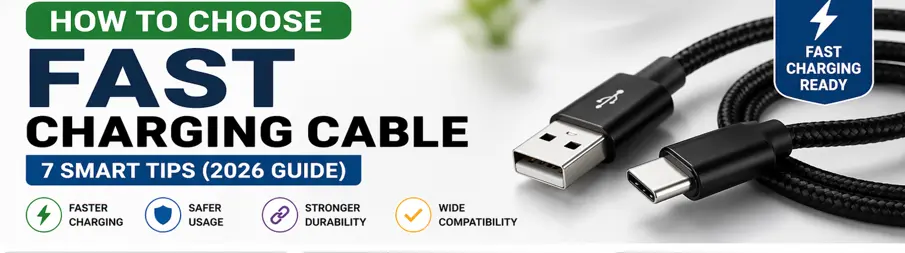
Choosing the right fast charging cable matters because your phone, charger and cable need to work together to deliver the charging speed your device supports. A high-wattage charger cannot always deliver its full potential if the cable is unsuitable or incompatible.
The good news is that you don’t need to spend a lot of money on every cable. You mainly need to check the connector type, charging capability, supported power, build quality, length, data-transfer requirements and compatibility with your device.
In this guide, we’ll explain how to choose a fast charging cable without relying only on marketing claims. We’ll also cover the important specifications to check before buying.
How to Choose a Fast Charging Cable: What to Check
How to Choose a Fast Charging Cable depends mainly on your phone, charger, and how you use the cable. Before buying, check the connector type, charging capability, compatibility, build quality, cable length and data-transfer requirements. A cable with a higher advertised wattage is not automatically better if your phone or charger cannot use that capability.
1. Check the Connector Type
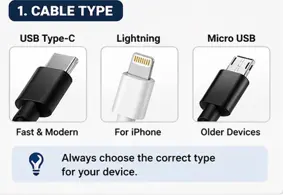
The first step is to identify the connector your phone and charger use. Modern Android phones and many newer devices commonly use USB-C, while compatible older iPhones use Lightning.
USB-C does not automatically mean fast charging. USB-C describes the physical connector, while charging speed depends on the cable’s capabilities, the charger, the phone and the charging standards supported by all three.
Before buying, check both ends of the cable. For example, a USB-C-to-USB-C cable is useful with a USB-C charger and compatible USB-C phone, while a USB-C-to-Lightning cable is required for compatible Lightning iPhones when using a USB-C charger.
2. Check the Cable’s Power Rating
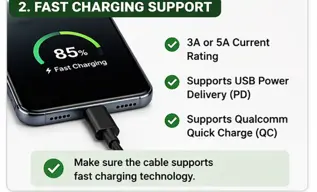
Don’t choose a cable simply because it says “fast charging” on the packaging. Check the advertised power or current capability and make sure it is suitable for the charger and device you plan to use.
A cable advertised for a higher wattage does not automatically make your phone charge faster. The actual charging speed depends on the phone’s maximum charging capability, charger output, cable capability and supported charging protocol.
The goal is compatibility, not simply the highest wattage number.
👉 Read our post: fast charging vs normal charging explained
3. Look at Build Quality
If you use a charging cable every day, build quality matters. Pay particular attention to the connectors, cable jacket, and strain-relief areas where the cable joins the connector.
Braided cables can provide useful resistance against everyday bending and abrasion, but a braided exterior does not automatically make a cable more durable. Overall construction and connector quality also matter.
If the cable will be used frequently, choose a reputable product with clear specifications rather than buying purely on the lowest price.
4. Choose the Right Cable Length
Cable length is mainly a convenience decision. A short cable is easier to carry and can reduce clutter around a desk, while a longer cable can be more convenient when the charger or power socket is farther away.
For everyday desk or bedside use, choose a length that reaches comfortably without leaving a large amount of cable lying around. For travel, a shorter cable can be easier to pack.
5. Don’t Ignore Data Transfer Speed
If you only use a cable for charging, charging capability may be your main concern. But if you also transfer photos, videos or other files, check the cable’s advertised data-transfer speed.
Two cables can look almost identical while offering very different data-transfer capabilities. If you regularly move large files between your phone and computer, don’t choose a cable based only on its charging wattage.
6. Check Brand, Certification and Warranty Information
A reputable manufacturer and clear product information can make it easier to assess compatibility and after-sales support. Where a device ecosystem requires specific certification, check that the exact cable model has the appropriate certification rather than assuming that every cable from the same brand has it.
Also check the warranty and seller information before buying. This is especially useful for cables that will be used every day.
7. Compatibility
Ensure it works with:
- Your charger
- Your device
- Your power bank
Fast Charging Cable Buying Checklist
| What to Check | Why It Matters |
|---|---|
| Connector type | Must match your phone and charger |
| Power rating | Determines whether the cable can support the required charging level |
| Charging compatibility | Important for achieving your device’s supported charging speed |
| Build quality | Affects everyday durability |
| Cable length | Determines convenience and portability |
| Data speed | Important if you transfer files |
| Brand/warranty | Helps with product confidence and after-sales support |
Which Fast Charging Cable Should You Buy?
If you use a modern USB-C phone, start by checking whether you need a USB-C-to-USB-C cable and what charging standard your phone and charger support.
If you use a compatible Lightning iPhone, choose the appropriate Lightning cable for your charger and check certification and compatibility where applicable.
If you transfer files regularly, pay attention to the advertised data-transfer speed instead of choosing solely on charging wattage.
If durability is your priority, look for good connector construction, strain relief and a reputable manufacturer rather than assuming that a braided cable is automatically better.
Ready to Compare Actual Fast Charging Cables?
If you already know what type of cable you need, the next step is to compare actual products rather than checking dozens of Amazon listings yourself.
We have shortlisted fast-charging USB-C cables based on important factors such as charging capability, connector type, build quality, length and everyday usability.
See our Best Fast Charging USB-C Cables Under ₹500 guide to compare specific models and check their current Amazon price and availability.
Using an iPhone with a Lightning port? See our Best Charging Cables for iPhone guide to compare Lightning options instead.
Final Verdict
The best fast charging cable is not necessarily the most expensive or the one with the highest wattage printed on the package. Start by checking your phone and charger’s connector types, then look at the cable’s power capability, charging compatibility, data-transfer speed, build quality, and length.
A good cable should match the requirements of your devices rather than simply promising the highest possible charging speed. Once you know what specifications you need, comparing a small number of suitable models is usually better than choosing from hundreds of generic listings.
If you’re ready to buy, compare the recommended cables in our dedicated buying guide and check the current product details before placing your order.
FAQs
Q1. How to Choose a Fast Charging Cable for Android?
The right cable depends on your Android phone, charger and supported charging standard. First check whether your phone uses USB-C, then check the charging capability supported by your phone and charger. If you also transfer files, consider the cable’s advertised data-transfer capability.
Q2. Do cables affect charging speed?
Yes, the cable can affect charging performance. If a cable does not support the power or charging standard required by your phone and charger, the device may not reach its expected charging speed.