

This post may contain affiliate links. If you buy through them, I may earn a small commission at no extra cost to you.
The best budget monitor for a home office can make a big difference to your work, study and everyday computer use. A good monitor should offer a sharp Full HD display, comfortable viewing, useful connectivity, and a refresh rate that suits your needs.
A good home-office monitor doesn’t need to be expensive.
For email, spreadsheets, browsing, WordPress, document work, and video meetings, a Full HD monitor between 22 and 25 inches can already provide a much more comfortable workspace than a laptop screen.
The main question is not simply “Which monitor is cheapest?”
Instead, consider screen size, panel type, resolution, refresh rate, connectivity, stand adjustment, and eye-comfort features.
If you’re also upgrading other budget gadgets for your workspace, check our guide to [Best Wireless Earbuds Under ₹3,000 in India].
Best Budget Monitor for Home Office: Our Top Picks
| Monitor | Screen & Panel | Resolution | Refresh Rate | Response Time | Best For | Current Price* |
|---|---|---|---|---|---|---|
| Acer EK220Q J0 | 21.5″ VA | Full HD | 120Hz | 1ms VRB | Budget home office | ₹5,899 |
| LG 24U411A-BN | 23.8″ IPS | Full HD | 120Hz | 5ms / 1ms MBR | Work & everyday use | ₹7,499 |
| BenQ GW2491 | 23.8″ IPS | Full HD | 100Hz | 5ms | Eye comfort & office work | ₹7,798 |
| MSI MAG 255F E20 | 24.5″ Rapid IPS | Full HD | 200Hz | 0.5ms GtG | Gaming & fast motion | ₹9,499 |
| Lenovo L27-4C | 27″ IPS | Full HD | 144Hz | 1ms MPRT | Larger-screen setup | ₹11,729 |
Prices change, so verify the current listing.
1.Acer EK220Q J0 21.5-Inch Full HD VA Monitor
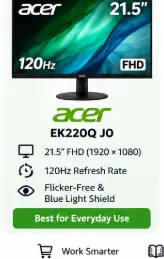
The Acer EK220Q J0 is a 21.5-inch Full HD VA monitor designed for office work, study, entertainment, and casual gaming. It offers a 1920 × 1080 resolution, 120Hz refresh rate and 1ms VRB response time, providing smoother scrolling and motion compared with a standard 60Hz monitor. AdaptiveSync helps reduce screen tearing and stuttering with compatible devices.
The monitor supports 99% sRGB colour coverage, 250-nit brightness and 178° viewing angles. For extended use, Acer includes Flicker-Less, BlueLightShield, ComfyView anti-glare, and Low-Dimming technologies.
For connectivity, you get HDMI 1.4 and VGA, making it suitable for both newer and older computers. The ZeroFrame design gives it a clean, slim-bezel appearance, while the stand offers -5° to 20° tilt adjustment. It also supports 100 × 100 mm VESA wall mounting.
The monitor does not have built-in speakers, so external speakers or headphones are required for audio.
Key highlights: 21.5-inch Full HD • VA Panel • 120Hz • 1ms VRB • AdaptiveSync • 99% sRGB • HDMI + VGA • Eye-care features • VESA support • 3-year warranty.
2. LG 24U411A-B 23.8-Inch Full HD IPS 120Hz Monitor
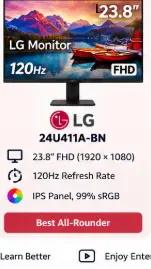
The LG 24U411A-B is a 23.8-inch Full HD IPS monitor designed for work, study, entertainment and casual gaming. It offers a 1920 × 1080 resolution, 120Hz refresh rate and 5ms response time, with LG’s 1ms Motion Blur Reduction (MBR) mode for smoother motion.
The monitor features 99% sRGB colour coverage, 250-nit typical brightness and a 1500:1 contrast ratio, along with HDR10 support for compatible content. Its virtually borderless design gives the display a clean, modern appearance.
For everyday comfort, it includes Flicker Safe and Reader Mode, while gaming-oriented features include Dynamic Action Sync, Black Stabilizer, Crosshair, and VRR. The stand supports -5° to 20° tilt adjustment, and the monitor supports 100 × 100 mm VESA mounting.
Connectivity includes 1× HDMI, 1× D-Sub (VGA), and a headphone-out port. There are no built-in speakers according to LG’s specifications.
Key highlights: 23.8-inch IPS • Full HD • 120Hz • 5ms GtG • 1ms MBR • HDR10 • 99% sRGB • 250 nits • VRR • HDMI + VGA • Flicker Safe • VESA 100×100 • Tilt adjustment.
3. MSI MAG 255F E20 24.5-Inch Gaming Monitor
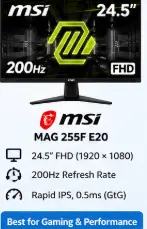
The MSI MAG 255F E20 is a 24.5-inch Full HD gaming monitor featuring a Rapid IPS panel, 1920 × 1080 resolution, and a fast 200Hz refresh rate. Its 0.5ms GtG response time is designed for fast-moving games, making it particularly suitable for FPS, racing, sports, and other competitive gaming.
The monitor supports AMD FreeSync Premium with a 48–200Hz range, helping provide smoother gameplay when the graphics output and display refresh rate vary. It is also HDR Ready and offers 100% sRGB coverage, 178° horizontal and vertical viewing angles, and a 300-nit SDR brightness rating.
MSI’s AI Vision can brighten darker areas and enhance overall brightness and colour saturation. The monitor also includes Anti-Flicker and Less Blue Light features for more comfortable viewing during extended use.
For connectivity, you get 2× HDMI 2.0b ports and 1× DisplayPort 1.2a, with both HDMI and DisplayPort supporting Full HD at up to 200Hz. It also has a headphone-out port and supports 100 × 100mm VESA mounting. The stand provides -5° to 20° tilt adjustment.
Key highlights: 24.5-inch FHD • Rapid IPS • 200Hz • 0.5ms GtG • AMD FreeSync Premium • HDR Ready • 100% sRGB • AI Vision • Anti-Flicker • Less Blue Light • 2× HDMI 2.0b • DisplayPort 1.2a • VESA 100×100mm.
Best suited for: Competitive gaming, esports, FPS games, racing games, console gaming and users who want a high-refresh-rate IPS monitor.
4. BenQ GW2491 23.8-Inch Full HD IPS 100Hz Monitor
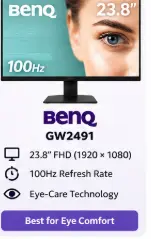
The BenQ GW2491 is a 23.8-inch Full HD IPS monitor designed for office work, study, browsing, entertainment and everyday use. It has a 1920 × 1080 resolution, 100Hz refresh rate and 5ms response time, providing smoother scrolling and motion than a conventional 60Hz monitor.
The IPS panel offers 178° viewing angles, 99% sRGB colour coverage, 250-nit brightness and a 1300:1 contrast ratio, making it suitable for both productivity and multimedia use. The four-sided ultra-thin bezel design also gives it a clean, modern look.
One of its biggest advantages is BenQ’s eye-care technology. It includes ePaper Mode, Flicker-Free Technology, Low Blue Light Plus, Eye-CareU software, and Eyesafe 2.0 certification. The ePaper mode is particularly useful for users who spend long periods reading documents or web pages.
For connectivity, the monitor provides HDMI 1.4 and DisplayPort 1.2. It also has a headphone jack, 100 × 100 mm VESA mounting support, and a stand with -5° to 20° tilt adjustment.
Key highlights: 23.8-inch IPS • Full HD • 100Hz • 5ms • 99% sRGB • 250 nits • 178° viewing angles • ePaper Mode • Low Blue Light Plus • Flicker-Free • HDMI + DisplayPort • VESA 100×100.
5. Lenovo L27-4C 27-Inch Full HD IPS 144Hz Monitor
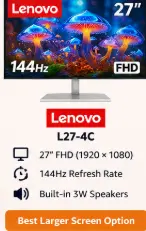
The Lenovo L27-4C is a 27-inch Full HD IPS monitor designed for work, entertainment, and gaming. It features a 1920 × 1080 resolution, 144Hz refresh rate, and 99% sRGB colour coverage, delivering smoother motion and vibrant colours. The IPS panel provides 178° horizontal and vertical viewing angles, while the 1500:1 typical contrast ratio adds depth to images.
For gaming, the monitor supports AMD FreeSync, along with 1ms MPRT and up to 4ms GtG response time. Its four-sided ultra-thin bezel design provides a clean, virtually borderless appearance.
The L27-4C also stands out with built-in dual 3W speakers, so you can get basic audio without connecting separate speakers. For eye comfort, Lenovo includes Natural Low Blue Light technology, while the anti-glare screen helps with reflections during everyday use.
Connectivity includes 2 × HDMI 1.4, 1 × VGA, and a 3.5mm audio-out port. The monitor supports 100 × 100 mm VESA mounting and offers -5° to 22° tilt adjustment. Lenovo lists a 3-year warranty for this model.
Key highlights: 27-inch IPS • Full HD • 144Hz • 1ms MPRT • 4ms GtG • 99% sRGB • 300 nits • AMD FreeSync • Dual 3W speakers • HDMI + VGA • Natural Low Blue Light • VESA 100×100 • 3-year warranty.
For your SmartBudgetGear article, use this product name:
Lenovo L27-4C 27-Inch Full HD IPS 144Hz Monitor
IPS vs VA for office work
IPS panels are generally attractive for users who want consistent colours and wide viewing angles.
VA panels can offer stronger contrast.
For spreadsheets, writing and browsing, both can work well.
The better choice depends on your priorities rather than a simple IPS-versus-VA rule.
Is 24 inches enough for work?
For most home-office setups, yes.
A 23.8-inch or 24.5-inch Full HD monitor gives considerably more space than a typical laptop screen.
If you work with large spreadsheets, multiple windows or editing timelines, you may prefer a larger screen or a dual-monitor setup.
Do you need 100Hz or 144Hz for office work?
No.
60Hz is enough for normal office work.
Higher refresh rates make scrolling and motion feel smoother, but they are not essential for documents or spreadsheets.
The advantage is more noticeable when you also use the monitor for gaming or media.
What about eye strain?
A monitor cannot guarantee that your eyes will not feel tired.
Good setup habits matter too.
Keep the screen at a comfortable viewing distance, adjust brightness to match the room and take regular breaks.
Eye-care features such as flicker reduction and blue-light modes can be useful, but they are not a substitute for sensible screen habits.
You can also explore more [SmartBudgetGear budget gadget guides] before making your next purchase.
How SmartBudgetGear Evaluates Products
We focus on the factors that matter before purchase, including the exact product model, stated specifications, compatibility, intended use, limitations, price range and availability.
Manufacturer specifications are treated as product information rather than independent test results. When a product has not been personally tested by SmartBudgetGear, we do not present our comments as hands-on experience.
Prices and availability can change, particularly on online marketplaces. Always check the current product listing and specifications before placing an order.
Our goal is to help readers understand whether a product fits their particular need rather than recommending a product simply because it is popular or inexpensive.
Final Verdict
Choosing the Best Budget Monitor for Home Office depends on how you plan to use your screen and how much you want to spend. For basic work, study and everyday use, the Acer EK220Q J0, LG 24U411A-BN and BenQ GW2491 offer useful combinations of Full HD resolution, higher refresh rates and eye-care features.
If gaming and smoother motion are important, the MSI MAG 255F E20 stands out with its 200Hz refresh rate. If you prefer a larger 27-inch display and don’t mind going above the ₹10,000 budget, the Lenovo L27-4C is another option worth considering.
Before buying, compare the current price, screen size, panel type, refresh rate, connectivity, and warranty rather than choosing only by specifications. Prices can change frequently, so check the latest listing before placing your order.
FAQs
Q1. Which monitor size is best for home office work?
Around 23.8 to 24.5 inches is a practical size for many home-office desks.
Q2. Is Full HD enough for office work?
Yes. Full HD is sufficient for documents, email, browsing, and many spreadsheet tasks.
Q3. Should I buy an IPS or VA monitor?
IPS is attractive for viewing angles and consistent colour, while VA can provide stronger contrast. Both can work well for office use.
Q4. Do I need a 144Hz monitor for office work?
No. It is useful for smoother motion and gaming, but it is not necessary for normal productivity.
Q5. Can I use a gaming monitor for office work?
Yes. A gaming monitor can work very well for office tasks, although you may pay for features you don’t need.